Cash ISA vs stocks and shares ISA: UK guide
- Nyheter
Compare cash ISA vs stocks and shares ISA for 2025: low-risk savings with 4-5% rates vs higher growth potential (5-7% average). Find best cash ISA rates, tax rules, and which…

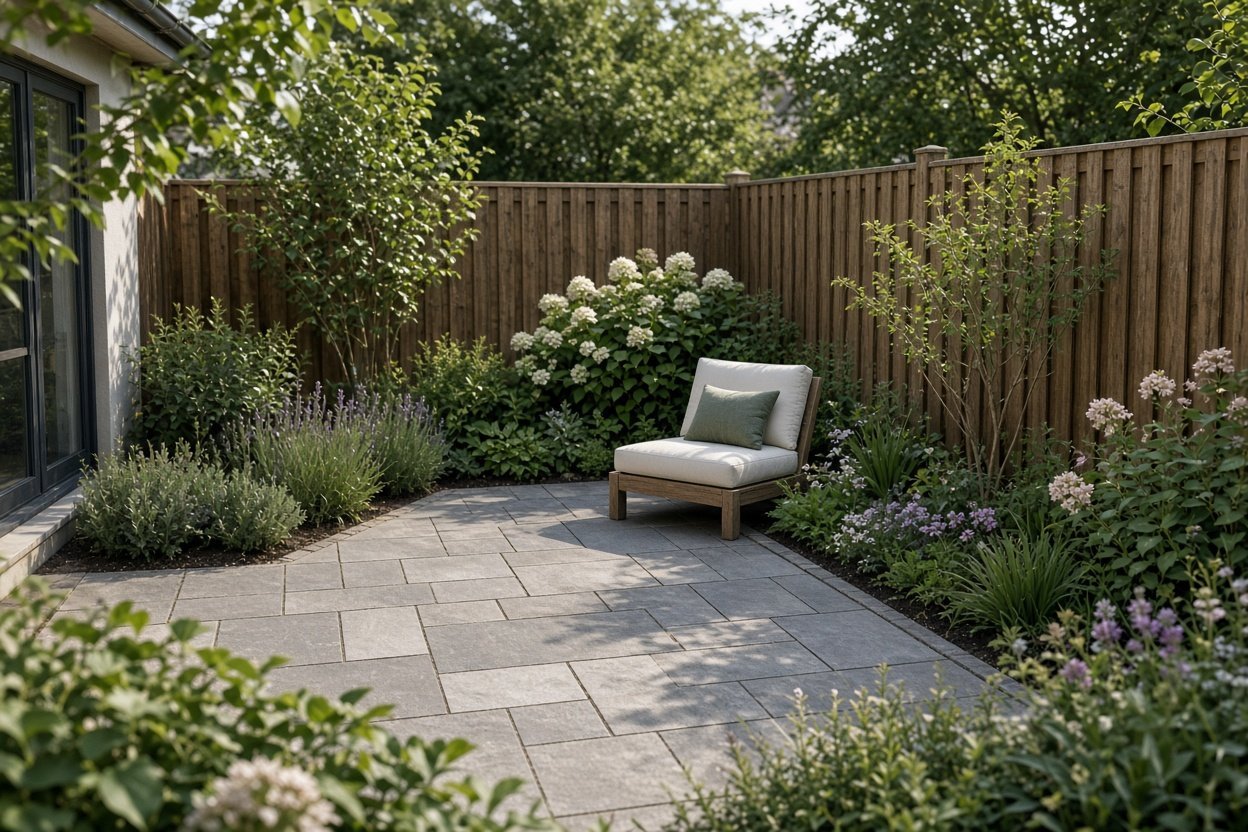

The most reliable garden design process begins with a measured, scale plan. Record the garden’s size, shape, boundaries, doors, windows, existing features, obstacles and the direction of sunlight before choosing materials or plants. The RHS garden-planning guidance recommends this approach because changing a design on paper is easier and cheaper than altering a built terrace or path.
Start with the practical purpose of the space. You may need somewhere to sit, a route through the garden, planting for wildlife, room for children or a clearer connection between the house and the outside. Those decisions should determine the layout before decorative details are added. For more visual inspiration, browse our garden ideas guide.
Good garden design gives each part of the space a clear job and creates a visual relationship between those parts. Use the following sequence to turn ideas into a workable plan:
GardenDesign.com’s landscape-design principles include proportion, balance, scale, enclosure and openness. These are useful checks rather than rigid rules: ask whether the size of each feature feels related to the garden, whether the layout has a sense of balance and whether the boundaries make the space feel comfortably enclosed.
Small garden design works best when the plan limits visual clutter and gives the space a strong structure. Begin by deciding which feature matters most: a seating area, a productive border, a clear lawn or a route to the rear of the garden. Give that priority enough room to function rather than trying to include every possible feature.
Small garden design ideas can include a single continuous surface, repeated planting or one clear focal point. A simple layout is often easier to maintain and makes the garden feel more coherent. Use the measured plan to check door swings, walking routes and the usable space around furniture before committing to a design.
For modern small garden ideas, consider a restrained palette of surfaces and repeat a small number of shapes or materials. The aim is visual consistency, not a particular trend. In a tiny garden, vertical planting, built-in storage or raised containers may help preserve floor space, but each should be assessed against access, sunlight and maintenance.
Small garden design in the UK also needs to respond to the particular conditions of the site. The RHS promotes small-space design advice, including ideas presented by designers at the RHS Chelsea Flower Show. Its guidance is a useful starting point when you need to combine limited space with planting and wildlife considerations.
Draw the garden from above at a consistent scale, then create separate versions for the main layout, planting and lighting or water features. The first version should show only the information needed to make decisions:
This method separates the functional plan from the mood board. Garden design photos are useful for collecting ideas about materials, planting combinations and atmosphere, but a photograph cannot replace dimensions and site information. Treat an attractive image as a reference for style, then test the idea on your own plan.
The best garden design app depends on what you want to see or measure. A photo-based app can show how a garden might look, a 2D planner can help with a measured arrangement and a 3D modeller can explore form and volume. The British Academy of Garden Design describes Garden Planner as a straightforward 2D option, iScape as photo-based visualisation and SketchUp as a general 3D modelling programme rather than a complete landscape-design system.
| Tool | Best for | Free access or price information | What it does |
|---|---|---|---|
| SketchUp Free | 3D garden concepts | Free for personal, non-commercial projects | Browser-based modelling, mobile model viewing, 10 GB of Trimble Connect storage and access to the 3D Warehouse |
| iScape | Visualising a garden from a photograph | Free download; paid in-app purchases | Photo-based designs, 2D plans, 3D augmented-reality visualisation, object insertion and sharing |
| Garden Planner | Simple 2D planning | Free for the first seven days without payment information | A straightforward planning option for arranging a garden layout |
| RHS Grow | Planting in UK conditions | Free version, paid features and monthly or yearly subscriptions | Gardening guidance designed around British weather, seasons and soils |
| SketchUp Pro | More advanced 3D work | £29.08 per person per month when billed annually, or £79.99 per month | Desktop modelling, 2D design documentation, plugins and additional import/export capabilities |
The prices and access details above come from the linked providers. The SketchUp Free plan works in a current browser with a Trimble ID, and does not require a download or credit card for personal, non-commercial projects. It is the strongest choice in this list when you want to explore a garden in three dimensions without starting with a paid plan.
Yes, you can design your own garden online for free, but “free” describes different levels of access. SketchUp Free provides browser-based 3D modelling for personal, non-commercial projects. iScape is free to download, but its UK App Store listing offers paid subscriptions, including £7.99 for Pro Weekly, £29.99 for Pro Monthly, £299.99 for Pro Yearly and £14.49 for Plus Monthly as shown on 9 September 2026.
Garden Planner offers a seven-day free trial without requiring payment information during the trial. It is suited to a simple 2D arrangement rather than a photo-realistic presentation. For planting decisions, RHS Grow has a free version, paid features and monthly or yearly subscriptions, with a focus on British weather, seasons and soils.
Choose the tool according to the decision you need to make. Use iScape to see how a planting bed or feature could look in a photograph, Garden Planner to arrange spaces in 2D, SketchUp to explore a 3D concept and RHS Grow to support planting choices for UK conditions. None of these replaces the measured site plan that anchors the project.
Choose a photo visualiser if you already have a strong idea and want to test its appearance against the existing garden. Choose a 2D planner if dimensions, paths and planting-bed shapes are the priority. Choose a 3D modeller if you need to understand height, volume and the relationship between structures. Choose a UK-focused gardening app when plant suitability and seasonal timing are central to the project.
Before paying for a subscription, check whether the tool can represent the information your plan needs. A convincing visualisation may help you compare styles, while a measured drawing is more useful for estimating space and communicating an intended layout. For a home project, starting with a free tool and moving to a paid option only when its extra capabilities solve a specific problem keeps the process focused.
There is no single official list of three universally agreed golden rules. A practical set is to measure the site, create a scale plan and design around sunlight, access and existing features. These principles reflect RHS planning guidance, while GardenDesign.com presents a broader set of principles including proportion, balance, scale, enclosure and openness.
Measure the garden and draw it to scale. Mark the house, windows, doors, boundaries, existing features, obstacles and sunlight. Decide how the space will be used, position seating, paths and planting areas, then check that the arrangement works before buying materials or starting construction.
ChatGPT can help develop a concept, suggest layouts and generate ideas from dimensions, aspect, soil, style and intended use. Use those suggestions as a starting point, then verify them against a measured plan and the conditions of the site. Accurate measurements and site information remain essential to practical garden planning.
There is no single best option for every project. SketchUp Free is the clearest choice for browser-based 3D modelling, Garden Planner suits a simple 2D arrangement, and iScape is designed for photo-based visualisation. iScape’s download is free, but paid subscriptions are available through in-app purchases.